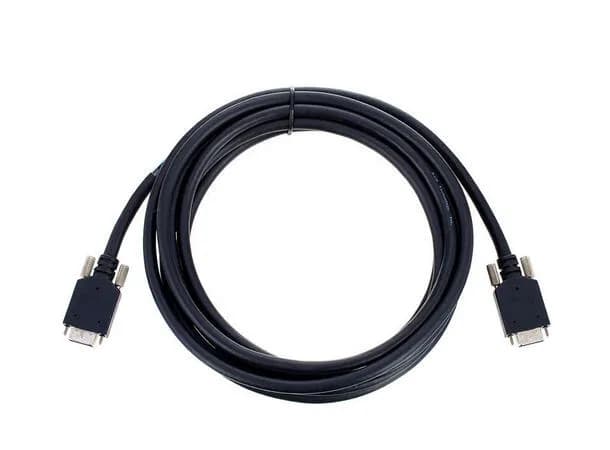
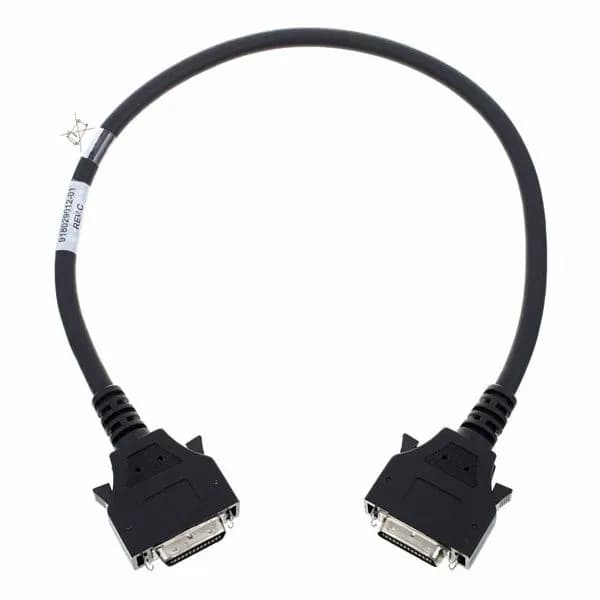
AVID Mini-DigiLink (M) to Mini-DigiLink (M) 1.5 Foot(45 cm)
1 095 krFør 1 395 krinkl. mva2 på lager
Ser du lavere pris et annet sted? Si fra, så justerer vi oss.
Bilde 1 av 2
Kan bestilles – leveres senere


Avid Dock features EUCON, a high-speed Ethernet-based technology that enables the hardware to communicate directly with many popular applications, including Pro Tools, Media Composer, Logic Pro X, Cubase, Nuendo, Premiere, and more. From accessing hundreds of software functions and commands, to navigating projects, adjusting plugins, and automating tracks, Dock gives you touch and tactile control right from the surface.
While Avid Dock can be used standalone, it provides deeper control of your software when used with the free Avid Control app on your tablet. The app offers a host of views, controls, and visual feedback to speed up your efficiency. Navigate huge sessions with the Universe Scroller. See up to 96 tracks at a time and bring a track immediately to the surface in Tracks view. And make tweaks to tracks, EQ, dynamics, and plugins in the Mixer and Channel views.
Edit and mix tracks with eight push-top, touch-sensitive Soft Knobs that interact with whatever knobset you’ve chosen in the Avid Control app. Select an EQ, plugin, send, pan, or other item, and all parameters instantly map to the knobs for tweaking. And because you’re making adjustments with physical controls, you don’t have to focus on your computer screen and can instead really listen to how your adjustments impact your mix.
You can click-click-click your way through frequently performed editing and mixing tasks. Or you can assign the 16 surface Soft Keys or the Avid Control Soft Keys to do the tedious work for you. Trigger menu commands and other software functions and recall layouts at the press or tap of a button. You can also adapt the Dock to your unique workflow by grouping Soft Keys and programming macros to perform more complex tasks.
When you need to focus on a specific track—or want more tactile precision—a single “attention” channel awaits. Select any track from the touchscreen and the channel maps directly to the Dock’s surface controls. Adjust levels with the touch-sensitive, motorized fader. Select, record-enable, solo, and mute the track. And keep an eye on your levels with the 10-segment meter.
With 12 dedicated automation switches, you can toggle modes and write automation directly from the surface. Press the ALT key and you have access to additional Pro Tools | Ultimate functions using the same keys, including Preview, Join, Punch Capture, and Write to Punch. You can even attach a footswitch to the Dock to control punch recording.
Pair Avid Dock with an Avid S1 or S3 control surface and you gain even more timesaving workflows. Speed up tasks with physical transport, jog, shuttle and focus fader capabilities. Enable more flexible touchscreen workflows. Customize and recall layouts quickly. Work with VCA groups more easily. And trigger frequently performed functions and macros with dedicated Soft Keys as you continue mixing on S1 or S3.
Get full transport controls, an assignable weighted jog wheel, and right-side switches to navigate, jog, shuttle, zoom, bank, switch workstations, and more. Scroll through projects or perform custom tasks with the two programmable touch strips. Get ICON-favorite “Scroll to Track” and “Scroll into View” features when using Pro Tools. And quickly access any channel in Tracks view or the Universe Scroller in Avid Control—no matter how huge the session.
Take control of any EUCON-enabled monitoring system—including Pro Tools | MTRX, Pro Tools | MTRX Studio, D-MON, XMON, and monitor sources in your DAW—right from the Dock surface or in the Avid Control app on your tablet. Control source selections, speaker cuts, talkback, and cues. You can even lock parts of the Dock to your monitoring application for dedicated monitor control while controlling another DAW with the rest of the surface for mixing.
| Channel strips/faders | 1 “attention” channel with a touch-sensitive, motorized fader |
| Encoders | 9 total—8 push-top, touch-sensitive channel control encoders; 1 monitoring control encoder |
| Metering | 1 10-segment meter with pre- and post-fade metering options |
| Navigation | Jog wheel with full transport control section |
| Additional controls | 32 hardware buttons for various mode selection functions, 2 programmable touch strips, 16 programmable Soft Keys |
| Ancillary I/O | 1 USB 2.0 port (for tablet charging), 1 footswitch port (1/4-inch TRS), 1 Ethernet port, Kensington lock slot |
| Height (front, rear w/knobs) | 1 inch, 5.4 inches (2.7 cm, 13.8 cm) |
| Width | 13.9 inches (35.2 cm) |
| Depth | 14.1 inches (35.9 cm) |
| Weight | 4.2 lbs (1.9 kg) |